Dolphin Cloud: A Review of a Platform for Managing Advertising Accounts
Published: 27.08.2026
When managing dozens of advertising accounts becomes routine and scaling profits requires even more campaigns, it’s time to delegate repetitive tasks to specialised tools. One such solution is Dolphin Cloud.
What Is a Dolphin Cloud?
- What Is a Dolphin Cloud?
- The Most Important Sections of Dolphin Cloud
- Accounts and Ad Accounts
- Adding and Removing Accounts, Facebook Pages, and Business Managers
- Linking Payment Cards
- Launching Ads
- Adding Proxies
- Auto-Rules
- Passing Risk Payment
- Monitoring and Moderating Comments
- Integration with Anti-Detect Browsers
- Dolphin Cloud: Less Routine, More Control
Dolphin Cloud is a multi-tool for launching ads across multiple Facebook ad accounts simultaneously, with no practical limit on the number of accounts you can manage.
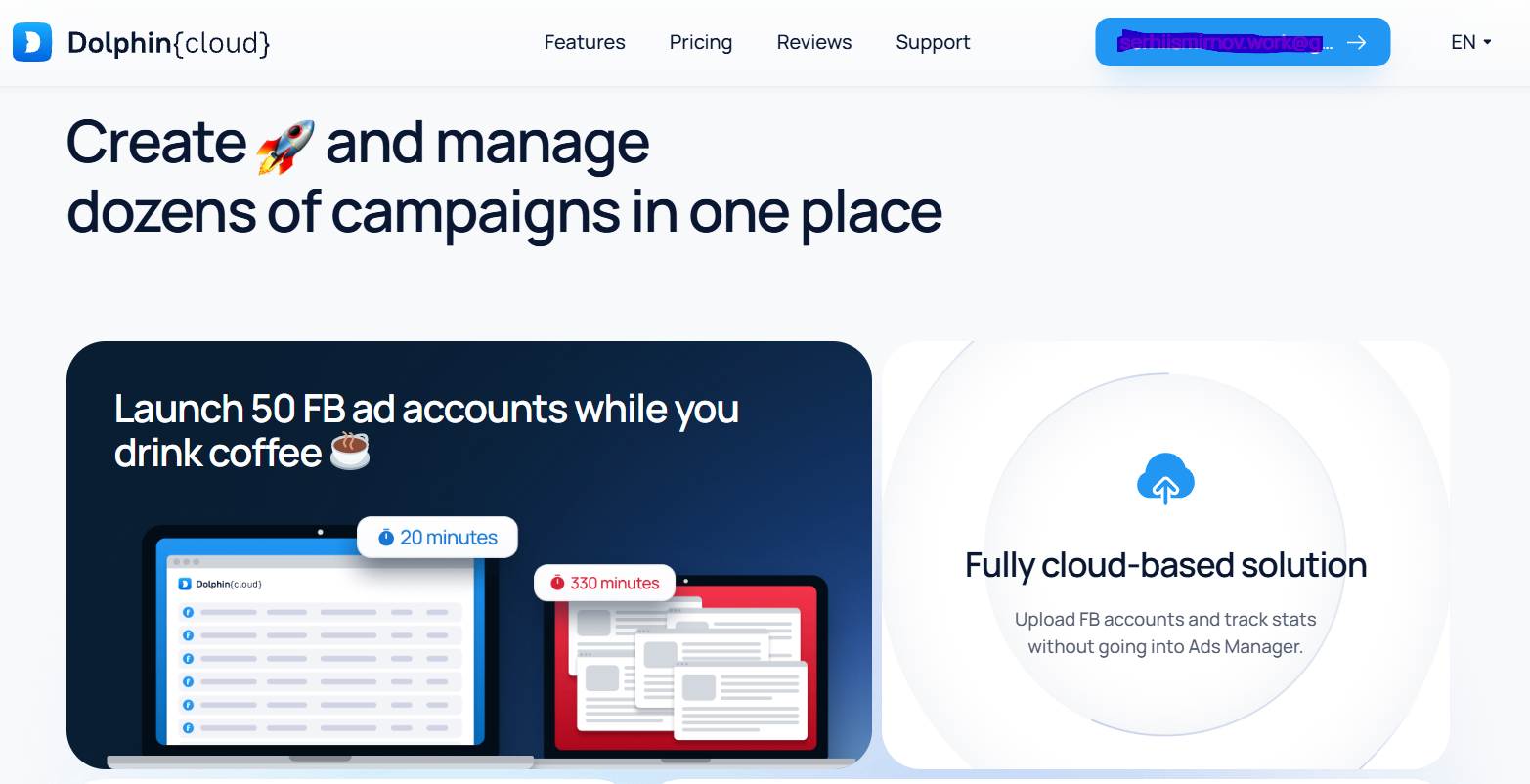
Why is it called a multi-tool? Because Dolphin Cloud does much more than simply launch, pause, or stop advertising campaigns. It offers a wide range of tools for handling everyday media buying tasks, which is why it’s considered a complete all-in-one solution.
Here’s how Dolphin Cloud works:
- Connect the tokens of your advertising accounts.
- The platform gains access to those accounts.
- Manage multiple accounts and ad accounts simultaneously from a single dashboard.
The Most Important Sections of Dolphin Cloud
Dolphin Cloud comes with a wide range of features, and it’s easy to get overwhelmed by the number of tools available. Fortunately, you don’t need to learn every single function — knowing the core features is enough to get started. Let’s take a look at the key sections.
Accounts and Ad Accounts
This section contains the main tools for managing automated ad launches:
- Add or remove accounts, Facebook Pages, and Business Managers;
- Link payment cards;
- View statistics for campaigns, ad sets, and ads.
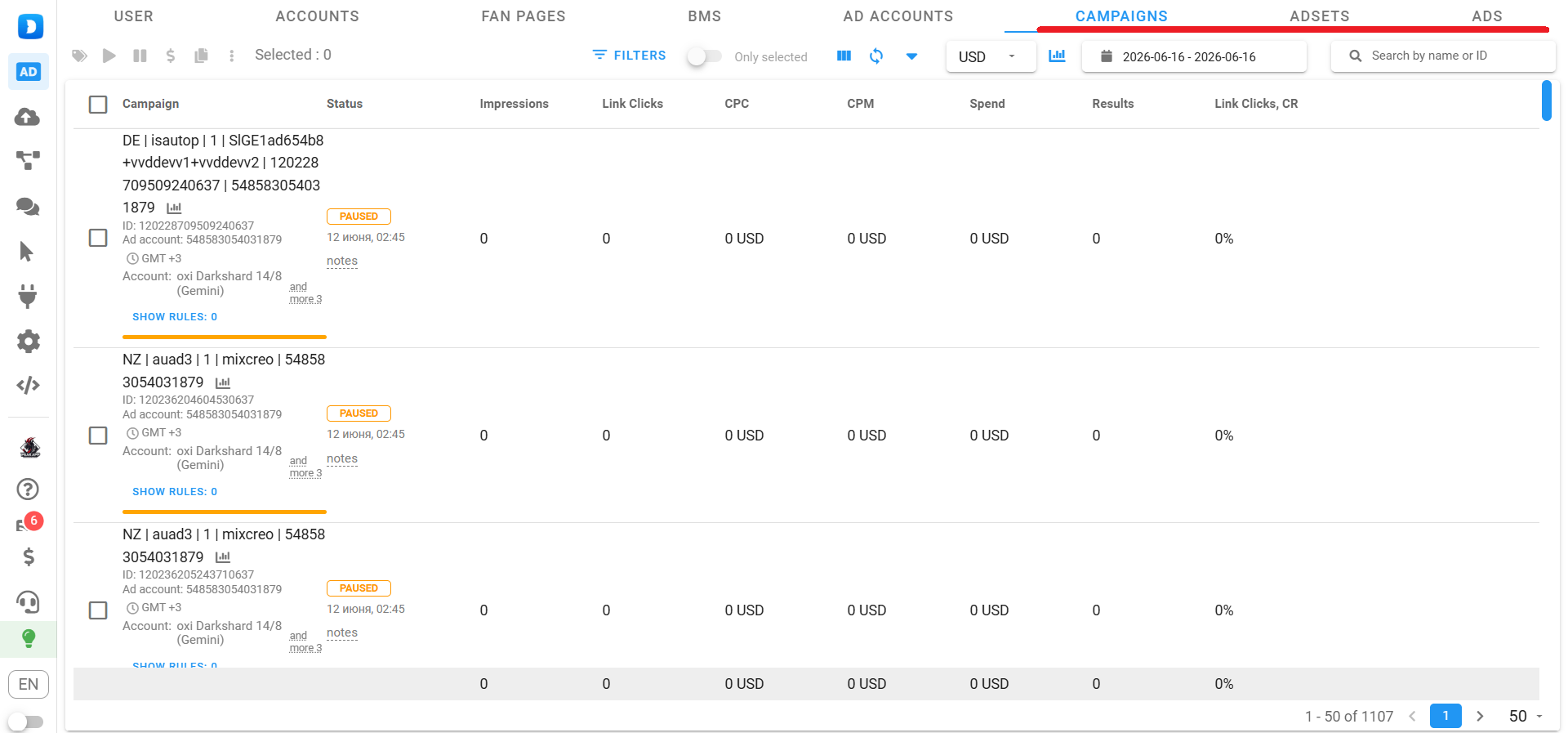
While campaign statistics are self-explanatory, the first two features deserve a closer look.
Adding and Removing Accounts, Facebook Pages, and Business Managers
The first step is adding your accounts to Dolphin Cloud. Open the corresponding section and click “Add“ You’ll see two import options: individual and bulk.
Since Facebook accounts are usually purchased from account sellers, bulk import is the most convenient method. Simply upload the file you received from the seller.
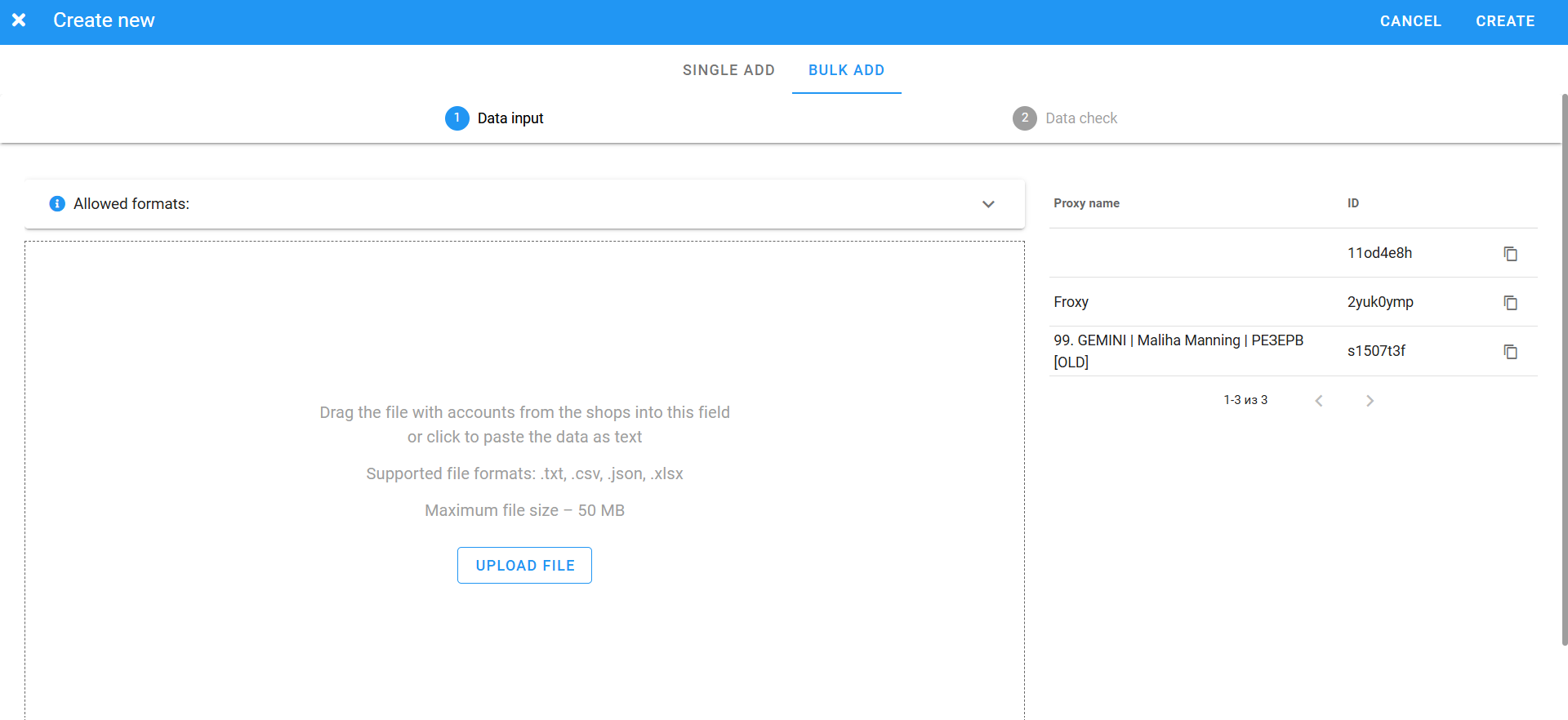
After importing the accounts, go to the Data Check section to assign proxies and get started quickly.
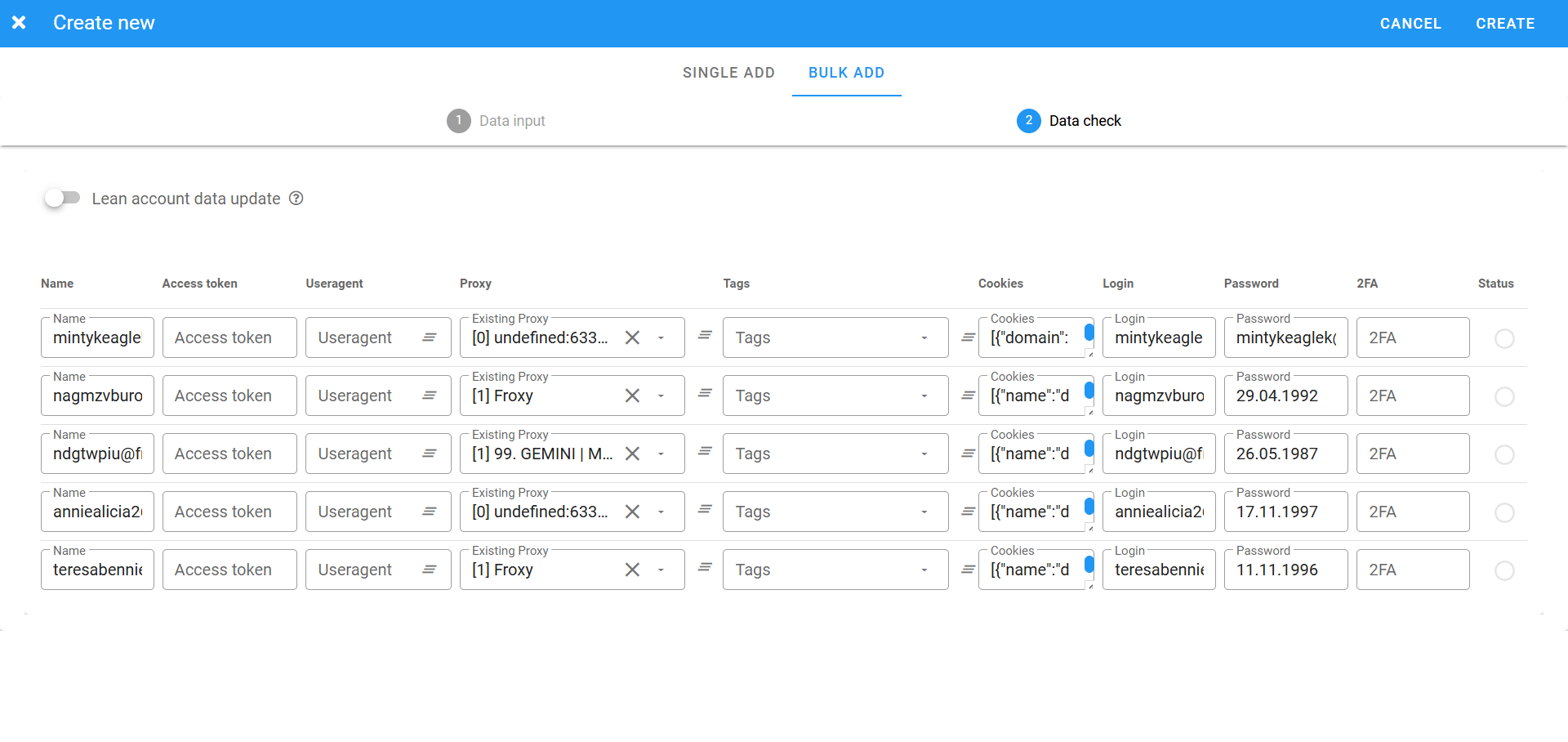
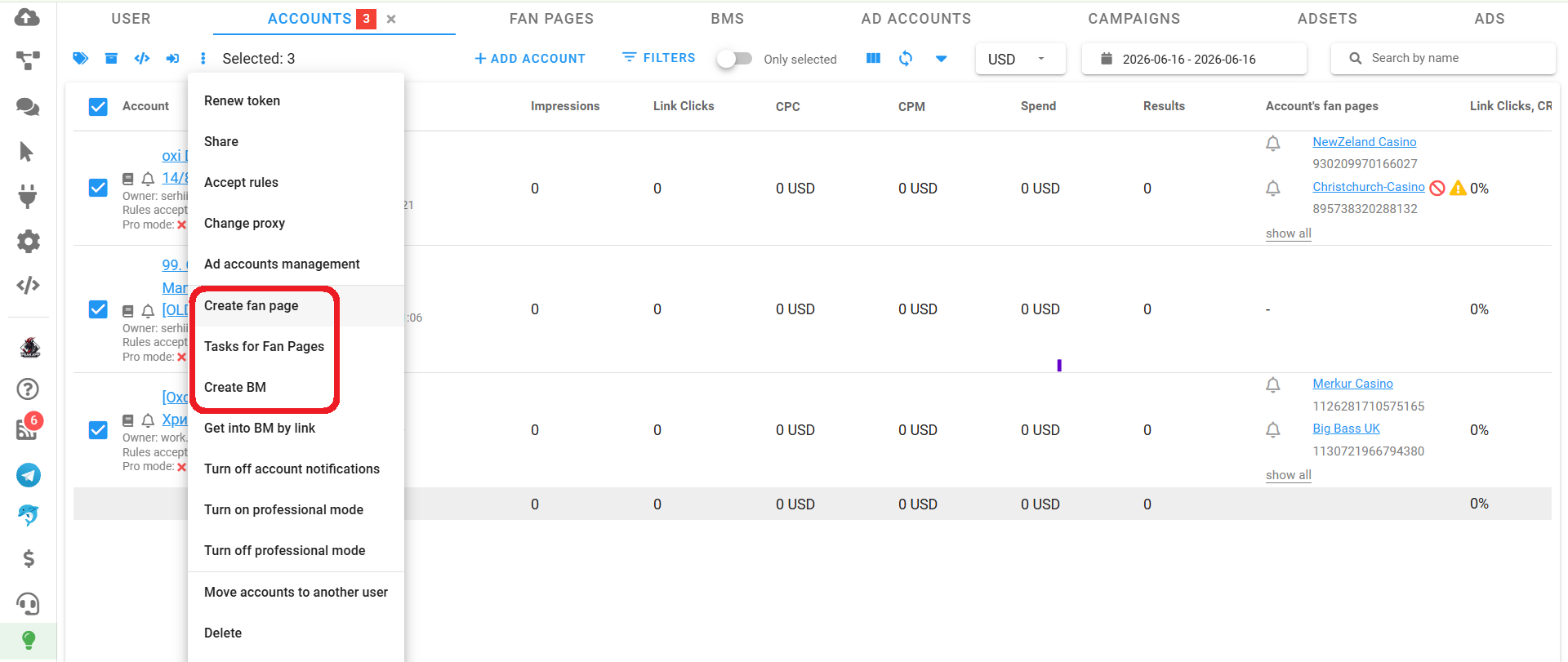
Creating Facebook Pages and Business Managers is even easier. Select the imported accounts and choose either “Create Fan Page” or “Create BM”.
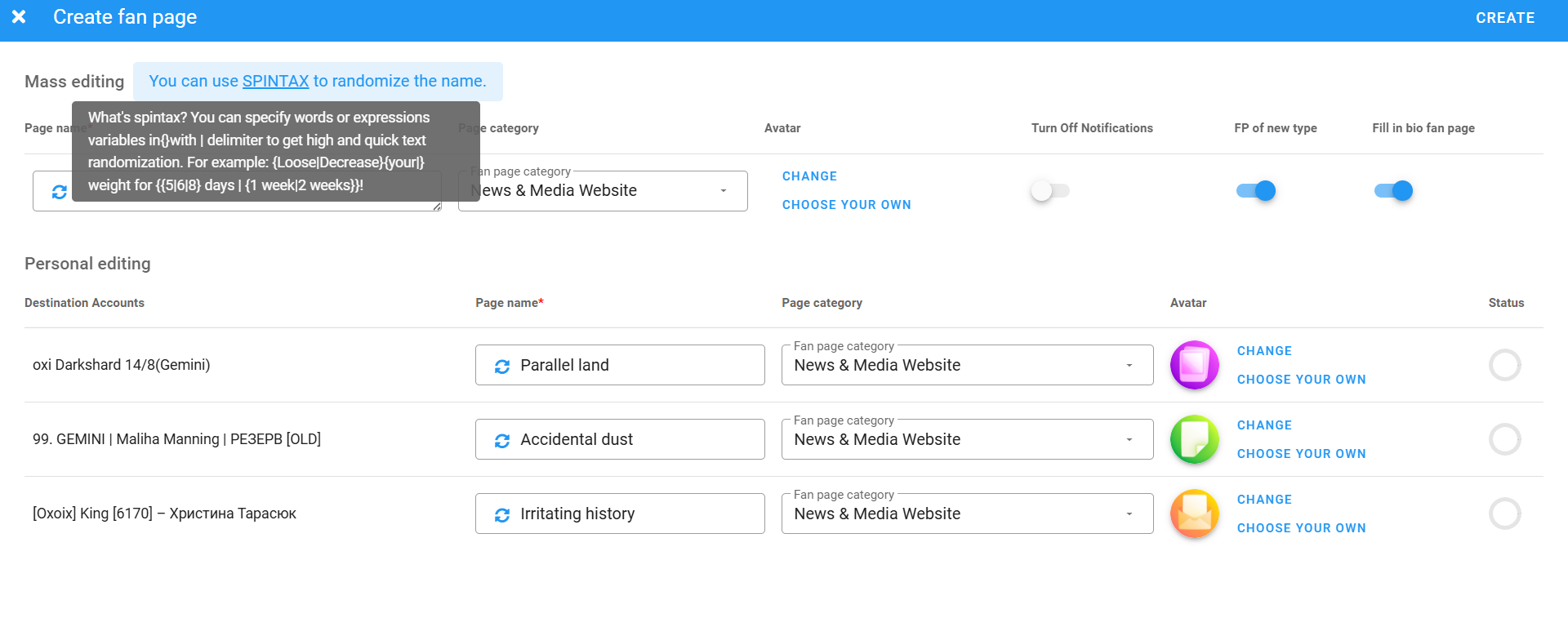
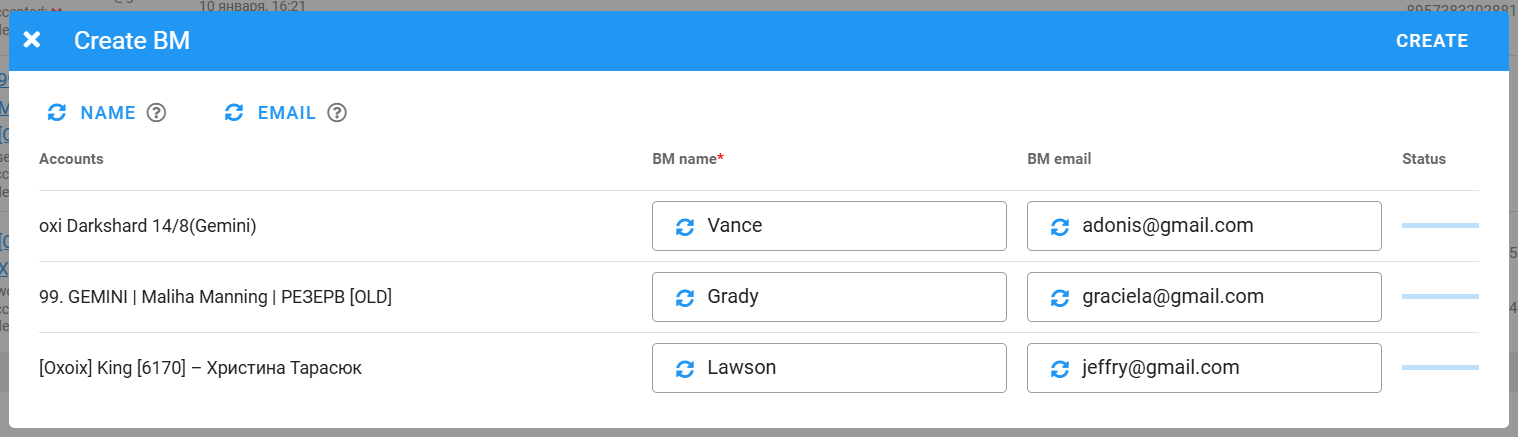
Next, simply enter names for the Pages or generate them automatically. If needed, you can also use SPINTAX. Business Manager names and email addresses can also be generated automatically, in any quantity.
Linking Payment Cards
Payment cards are linked from the Ad Accounts section. Select the required ad accounts, click the three-dot menu, and choose “Attach Bank Card.”
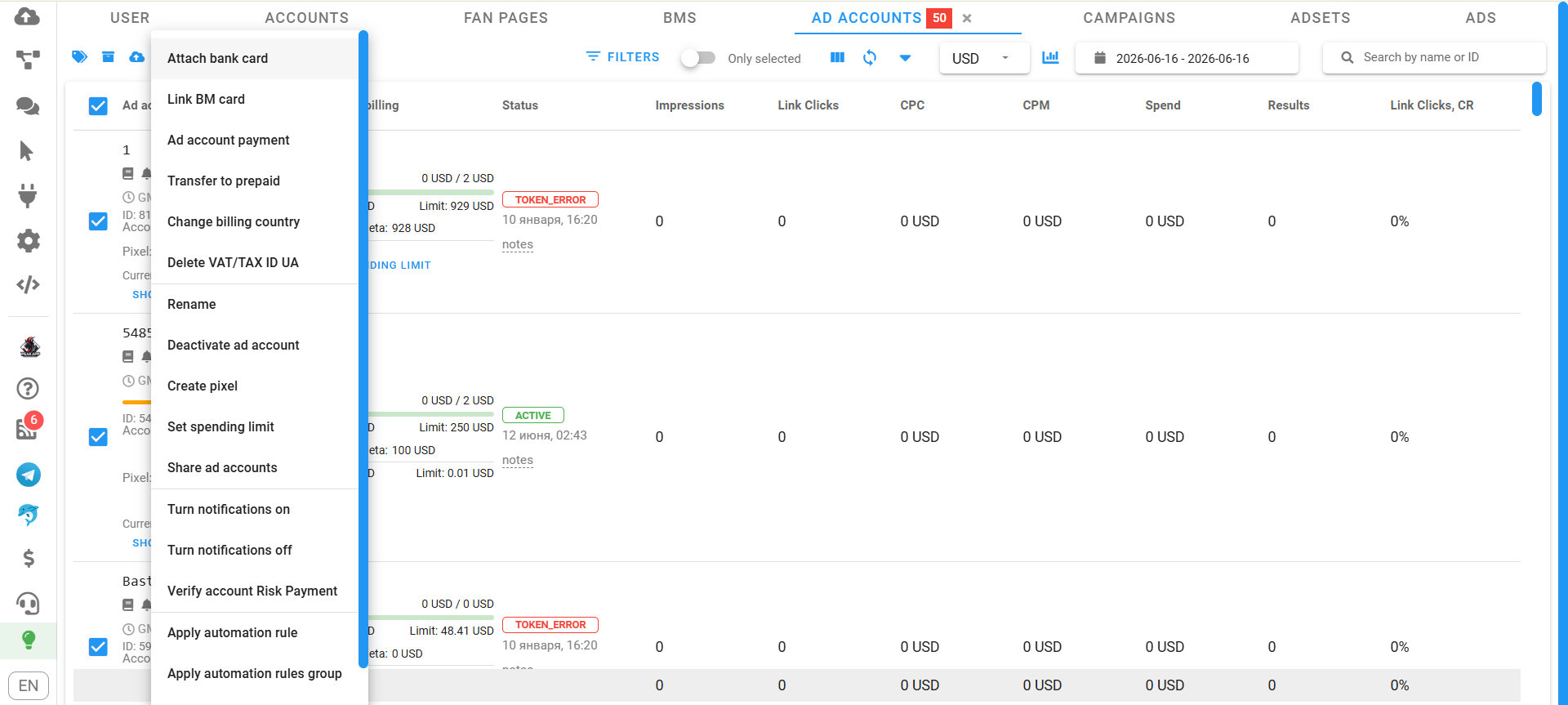
Copy your card details and paste them into the appropriate field as a list. Choose sequential card assignment and enable delays between each operation. These delays help prevent Facebook from detecting multiple cards being added simultaneously, reducing the risk of triggering a payment risk check.
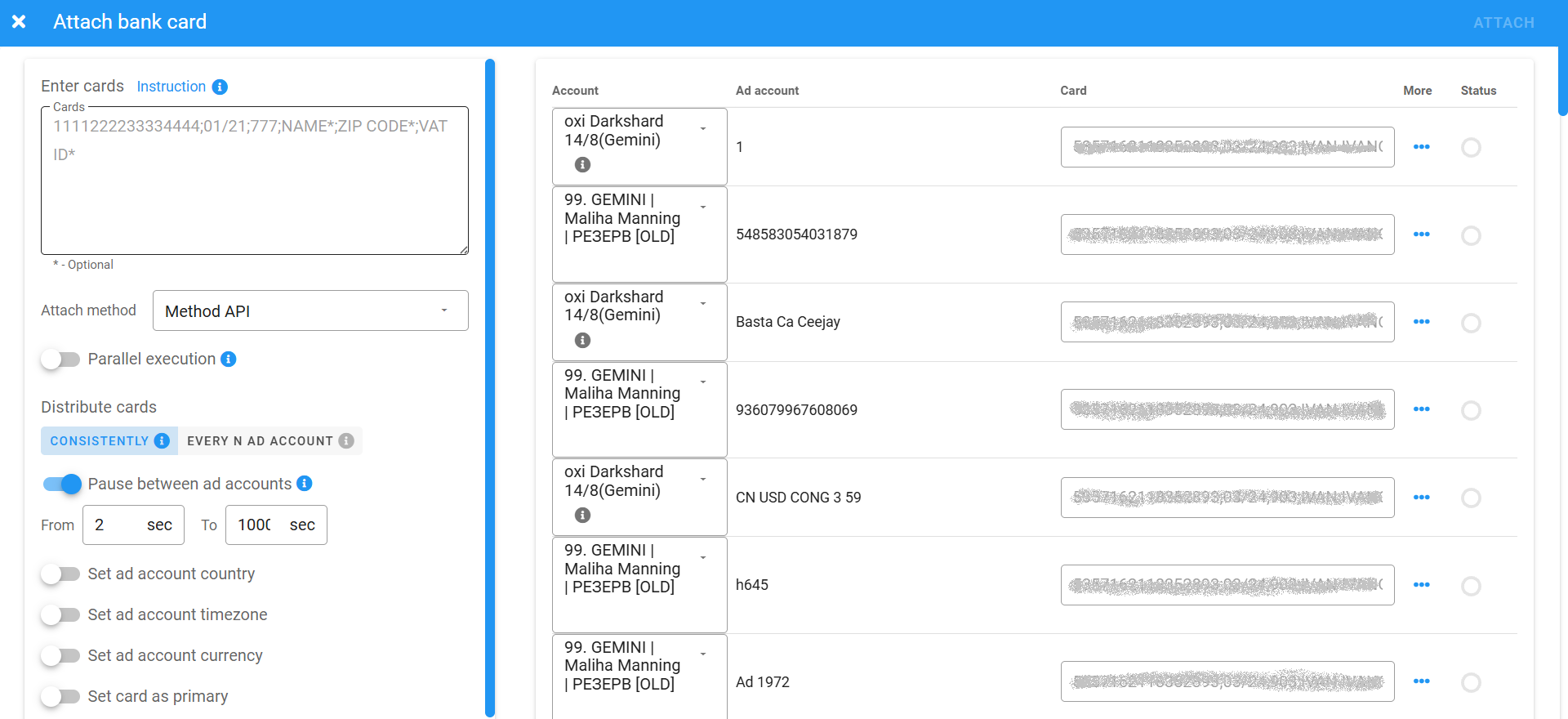
Cards can be linked to Business Managers in the same way, allowing them to be used later with ad accounts.
Launching Ads
Ad campaigns are launched from the Create Ads section. You can either create a new campaign setup by configuring the budget and targeting or select an existing one. Everything works much like creating or editing a campaign in Facebook Ads Manager.
Once your setup is ready, simply choose the ad accounts where it should be launched.
Next, move on to creating your creatives.
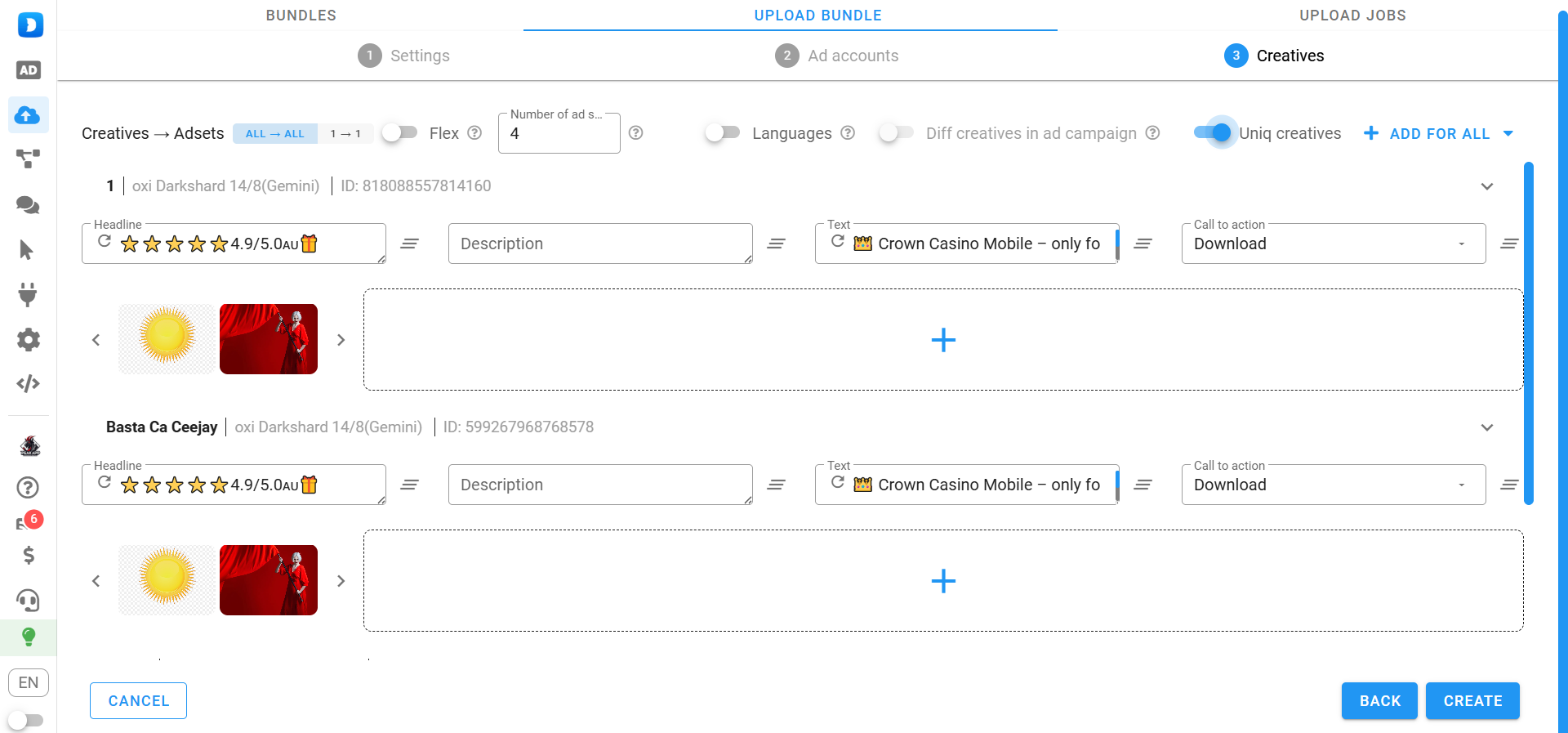
Upload your images and generate headlines and ad copy by clicking the refresh icon. If you’re using images from spy tools or reusing your own creatives, enable the “Unique Creatives” option. It modifies the image metadata so Facebook recognises them as new creatives.
Adding Proxies
To work with advertising accounts, you’ll need proxies. Instead of assigning them every time you add new accounts, upload them once in the dedicated section.
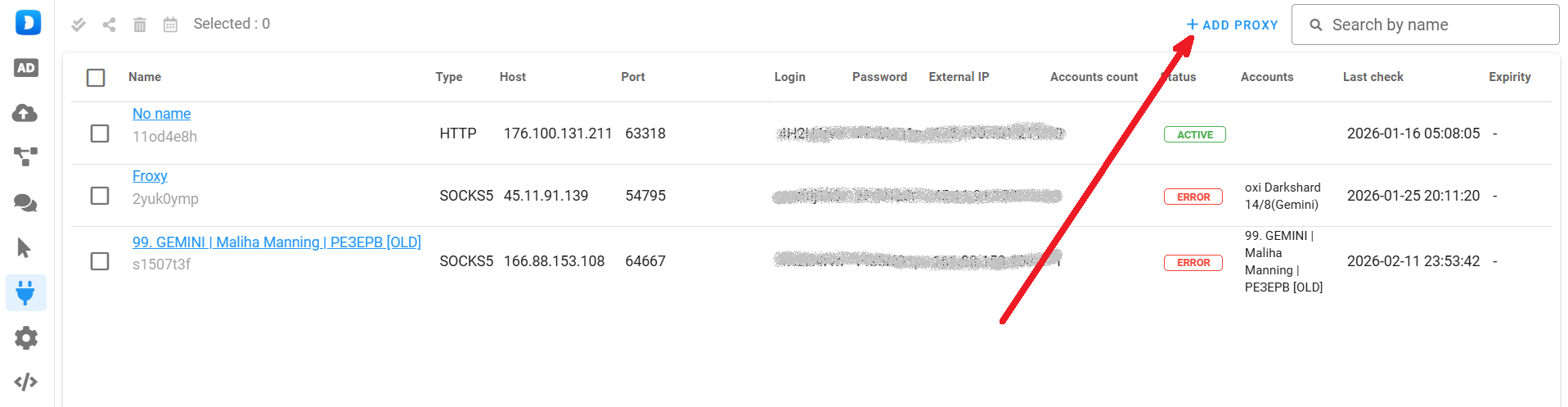
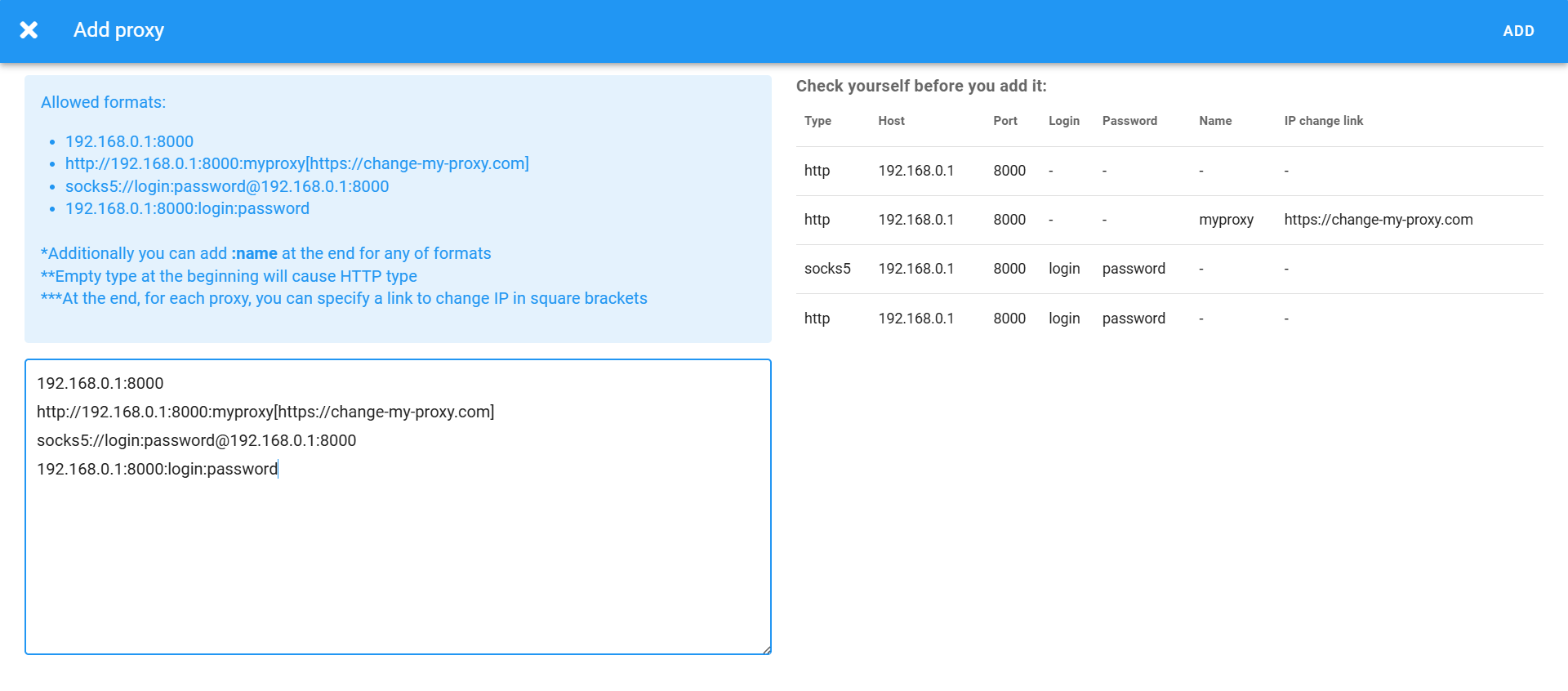
Simply copy your proxies from your provider and paste them into Dolphin Cloud as a list. Afterwards, these proxy ports can be assigned to any number of accounts.
Important: Never work without proxies. Otherwise, your ad accounts are likely to get banned quickly. For Facebook advertising, it’s recommended to use mobile or residential proxies.
Auto-Rules
Automation rules help you scale campaigns and optimise them automatically. One of Dolphin Cloud’s biggest advantages is that automation rules aren’t tied to a single account—they can be applied across any advertising accounts.
To create one, open the corresponding section and click “Create Rule.”
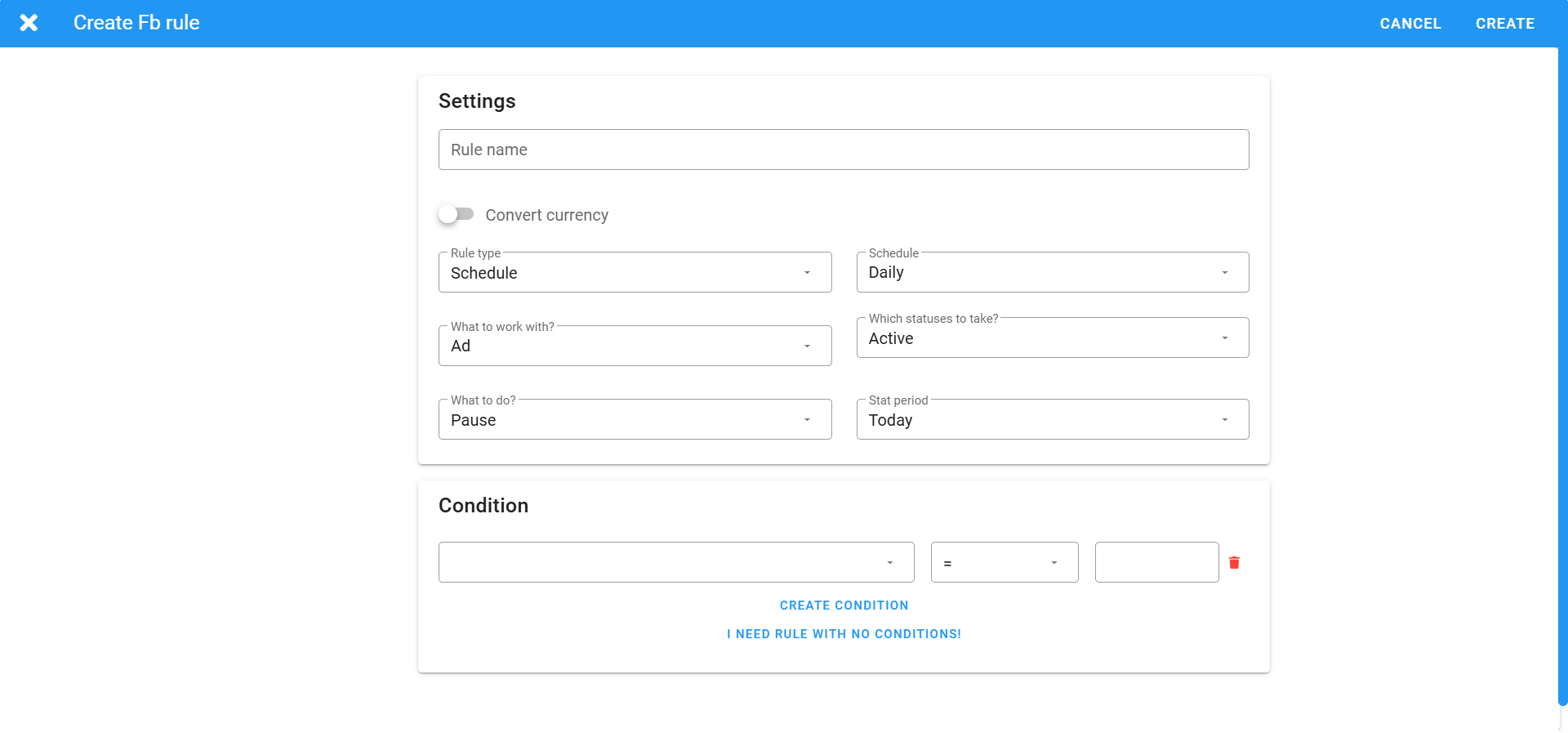
Specify the conditions and the actions that should be performed when those conditions are met. Once created, the rule can be applied to any ad account.
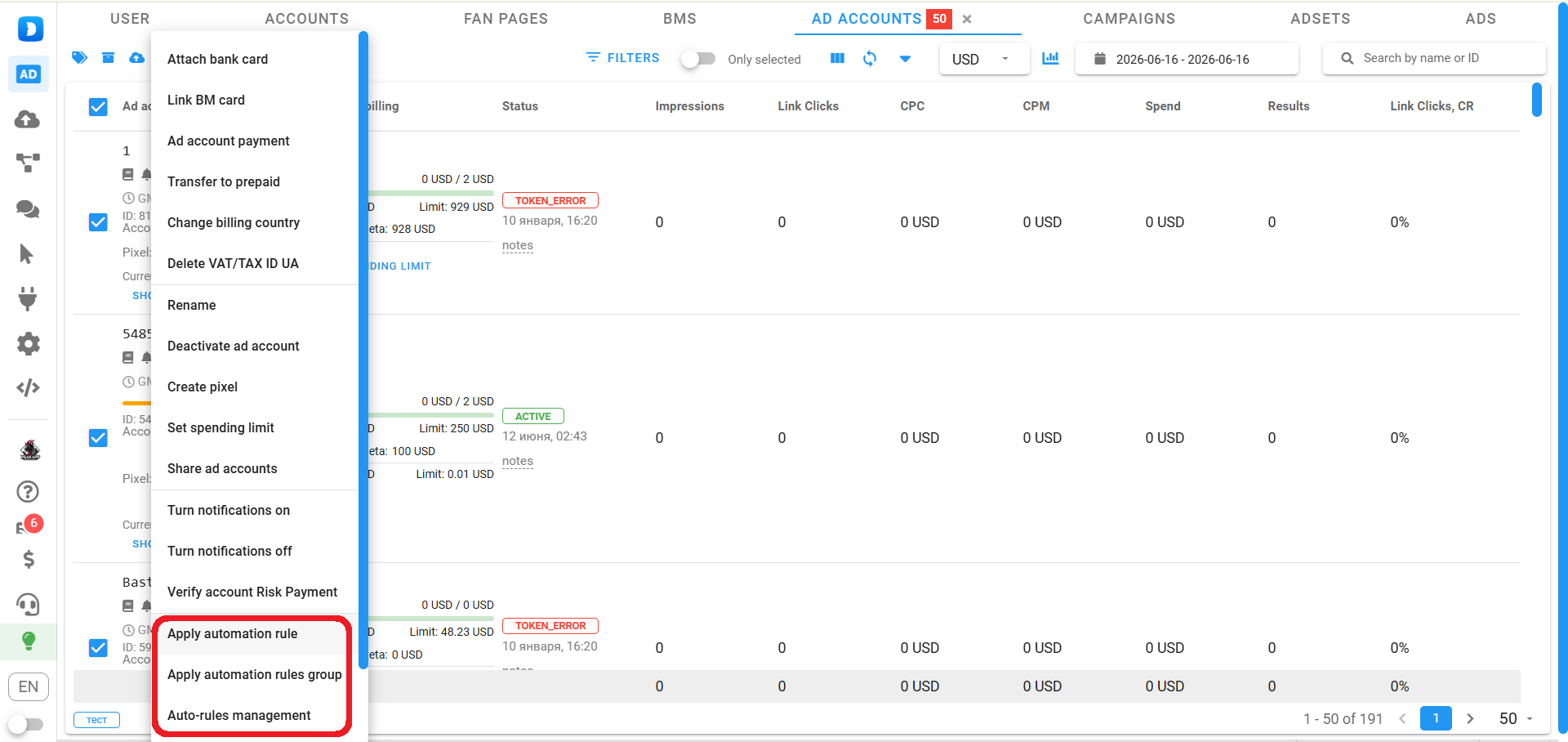
To launch and manage advertising campaigns, you’ll need to:
- Add your accounts;
- Add proxies;
- Link payment cards to your ad accounts;
- Create automation rules (optional).
However, Dolphin Cloud also includes several additional features that make everyday work even more convenient.
Passing Risk Payment
Dolphin Cloud allows you to complete Facebook payment risk checks in bulk. Simply open the Ad Accounts section and select “Verify Account Risk Payment.”
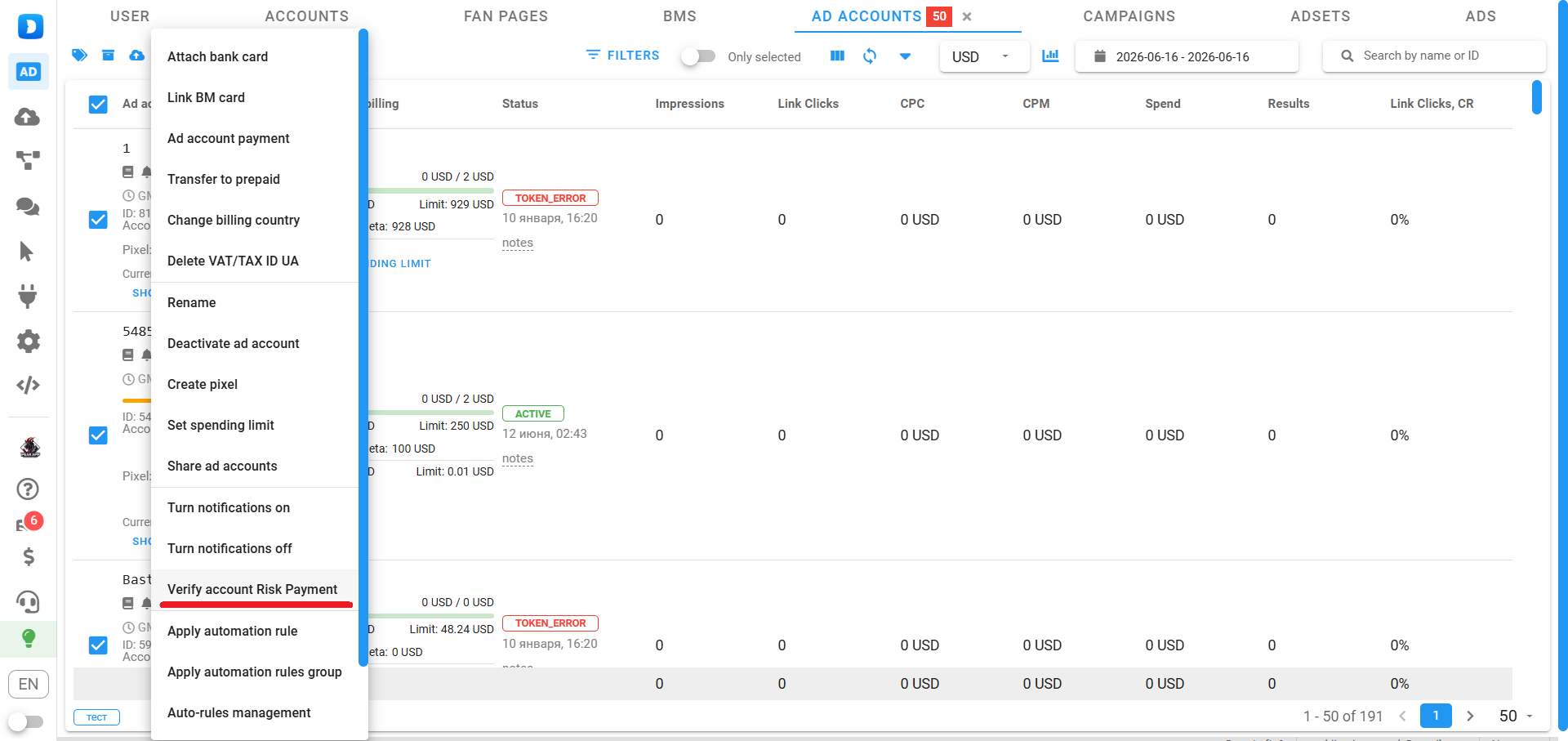
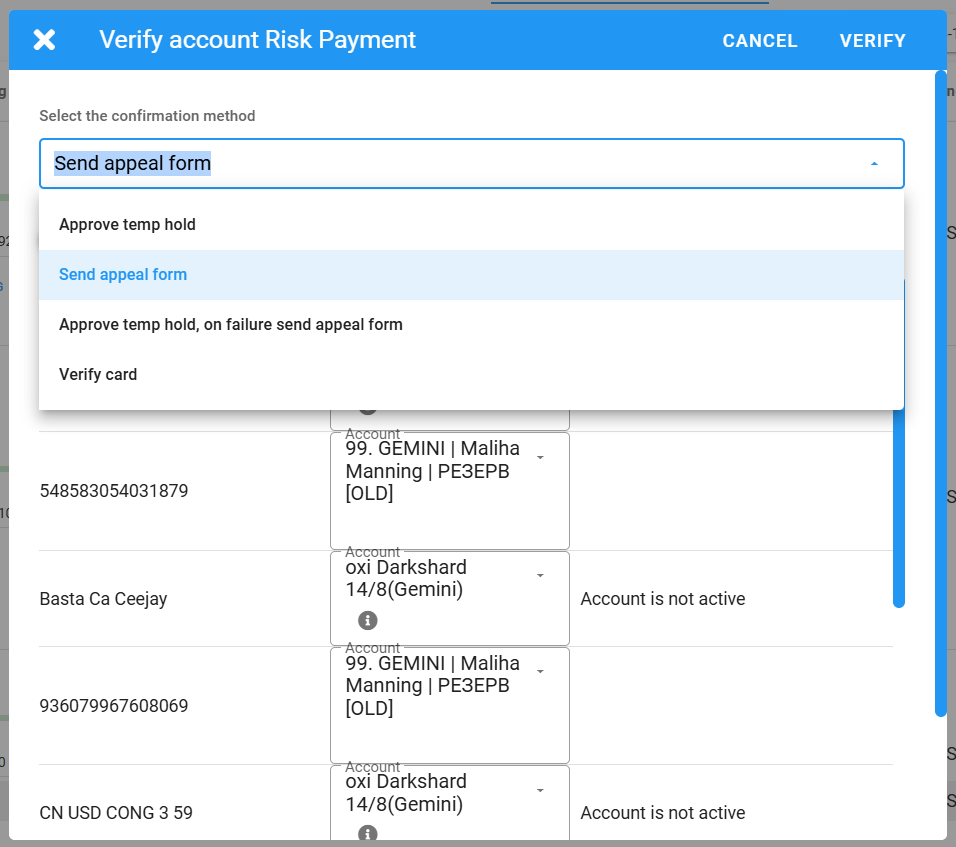
Then choose the preferred verification method. If necessary, upload the required documents.
Monitoring and Moderating Comments
Dolphin Cloud includes a dedicated comments section where you can monitor and manage comments on your ads.
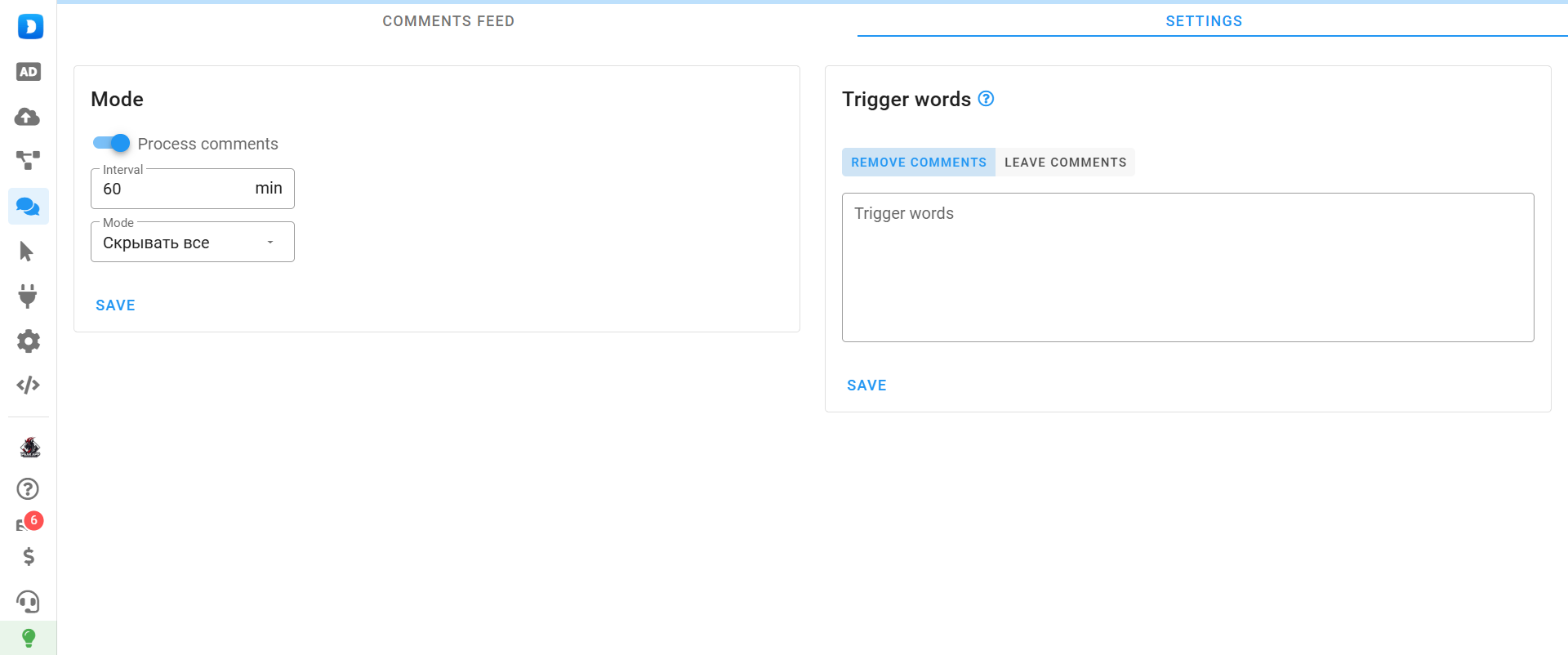
To configure automatic comment moderation:
- Enter trigger keywords;
- Choose whether matching comments should be kept or removed.
In the first mode, comments containing trigger words remain while all others are deleted. In the second mode, only comments containing the trigger words are removed.
Integration with Anti-Detect Browsers
If your advertising accounts are already stored in an anti-detect browser, you can import them directly into Dolphin Cloud.
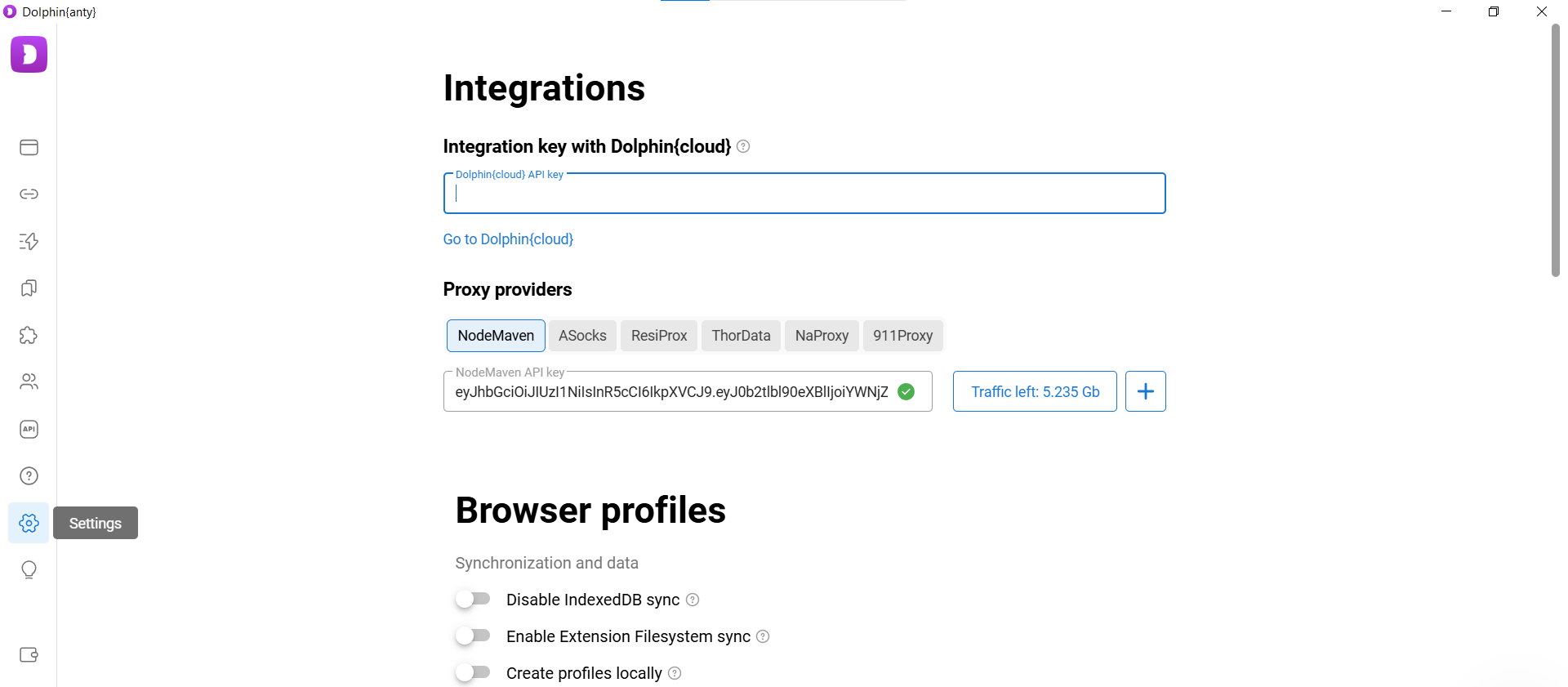
To integrate, open the Dolphin Cloud settings, copy your API token, and paste it into your anti-detect browser.
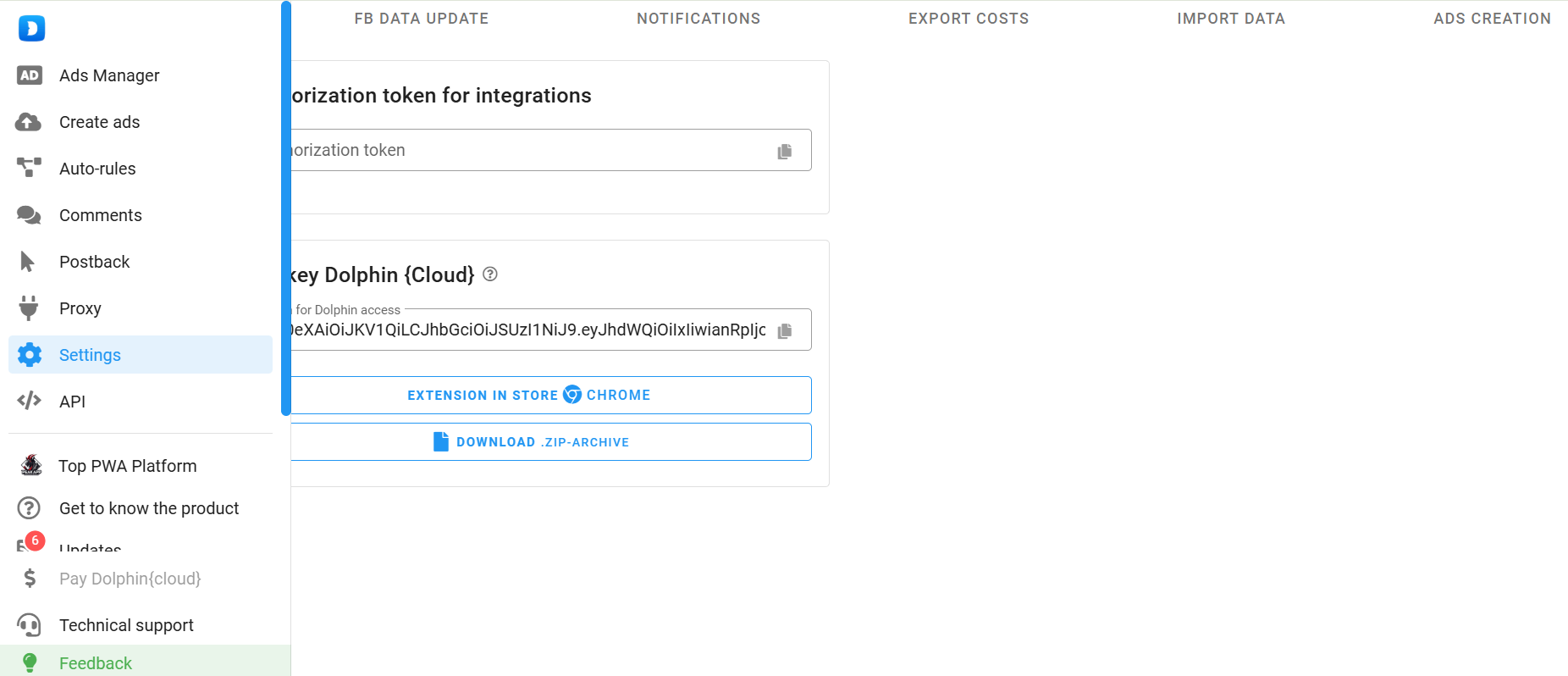
If you’re using Dolphin Anty, remove the current token and replace it with the one copied from Dolphin Cloud.
If you’re using another anti-detect browser, install the Cloud extension in your browser profile.
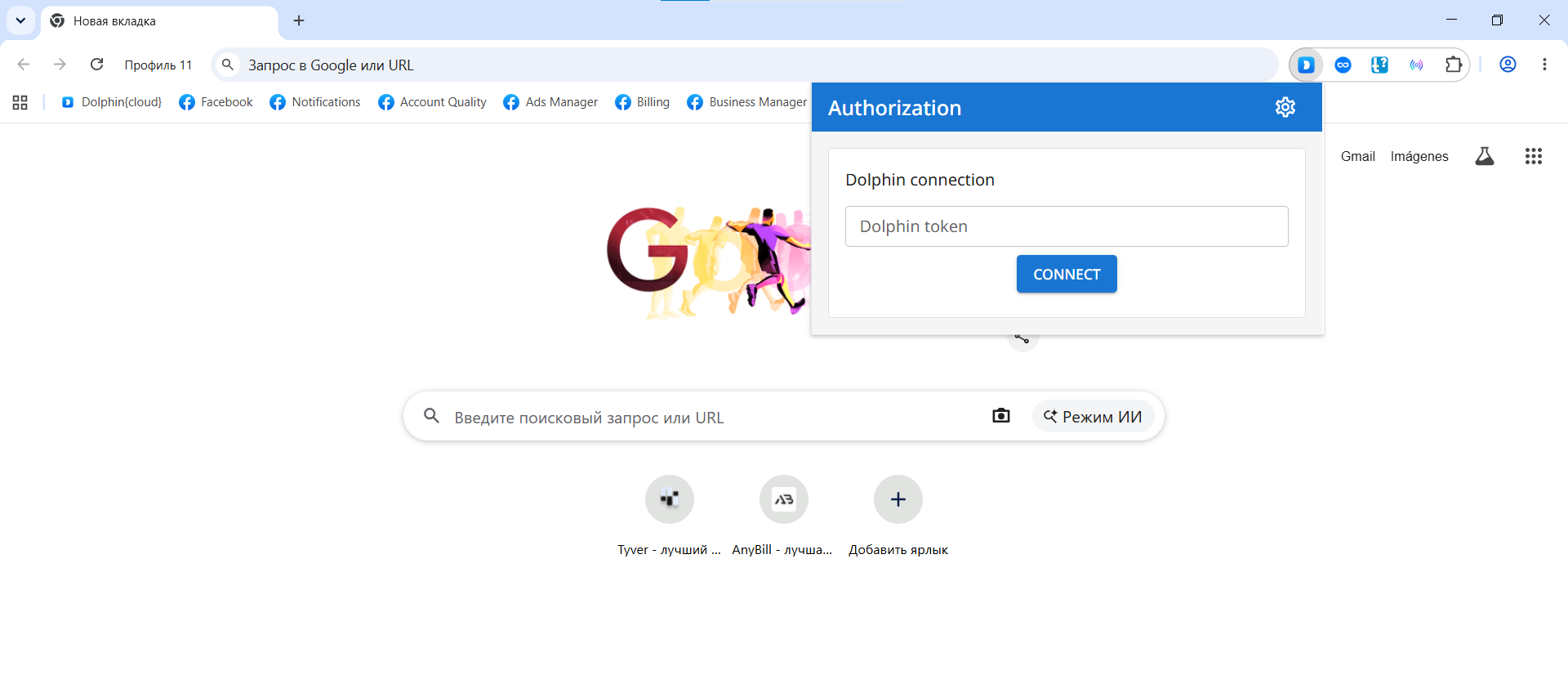
Paste your Dolphin Cloud token into the token field, and your advertising accounts will automatically appear in the multi-tool.
Dolphin Cloud: Less Routine, More Control
When managing multiple advertising accounts, Dolphin Cloud eliminates most repetitive tasks and lets you control everything from a single interface. Launching creatives across dozens of accounts simultaneously, linking payment cards, creating Facebook Pages and Business Managers in bulk, and assigning proxies dramatically speed up campaign deployment. The larger your operation becomes, the more time you’ll save.
Register on SalesDoubler to be up to date about new usefull tools

SalesDoubler.pro content manager