SD Sender is the #1 tool for affiliates
SD Sender is a universal tool for SMS mailings that helps you effectively monetize your phone number database.
Why is it important to use SD Sender?
SD Sender is a universal tool for SMS mailings that will help you effectively monetize your database of phone numbers and collect them yourself from your website. With its help, you can collect a customer base and monetize your current base using a variety of funnels.
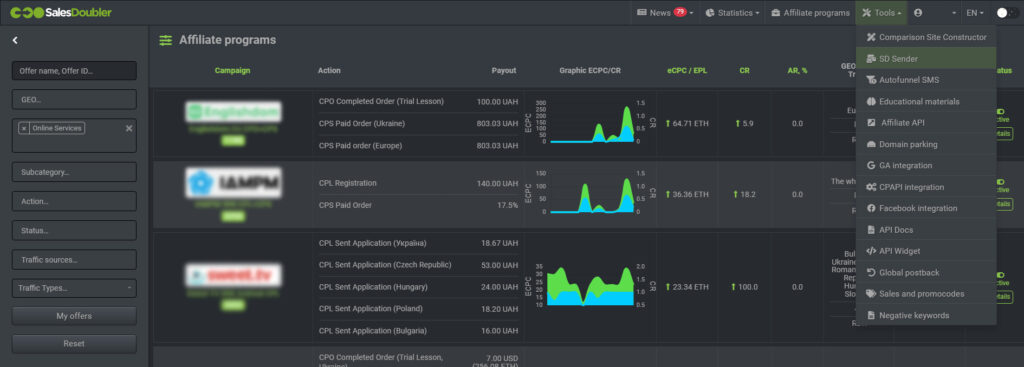
You can find SD Sender simply by following the link. Or log into your account in the SalesDoubler system and click on the “Tools” – “SD Sender” tab on the main panel.
Which GEO does SD Sender work with?
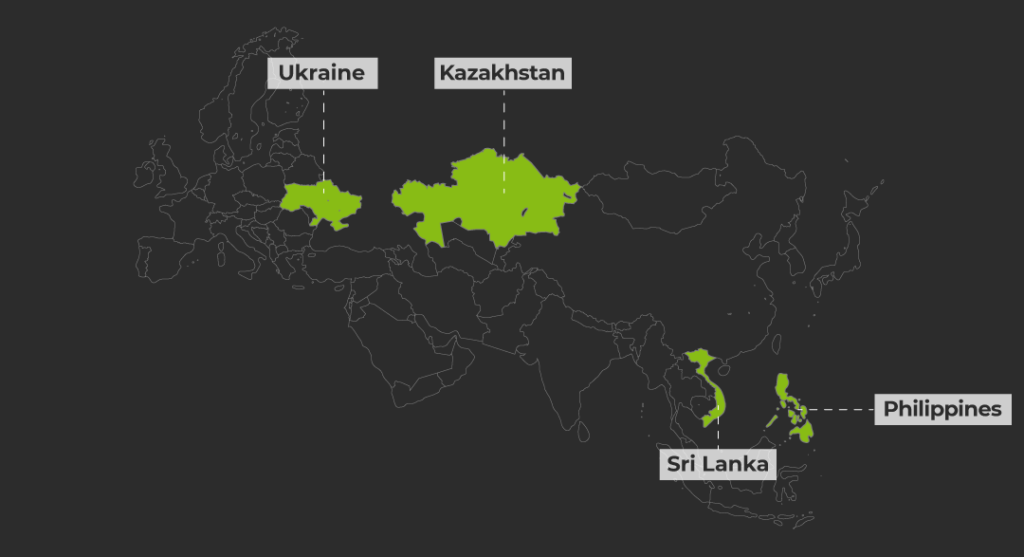
Currently, we have opened four countries:
- Ukraine
- Kazakhstan
- Sri Lanka
- Philippines
User manual
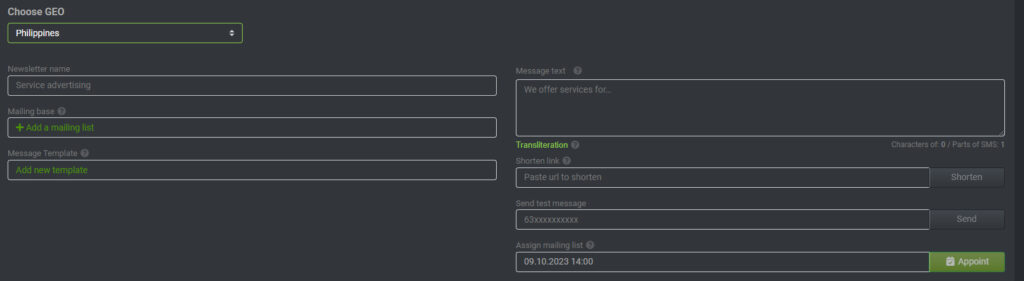
The interface of this tool is very simple and intuitive: fill out the fields. If you click on the question mark next to the field name, a small hint will appear there.
Loading your mailing database
You give a name in the “Mail Database” section to avoid confusing your contact databases.
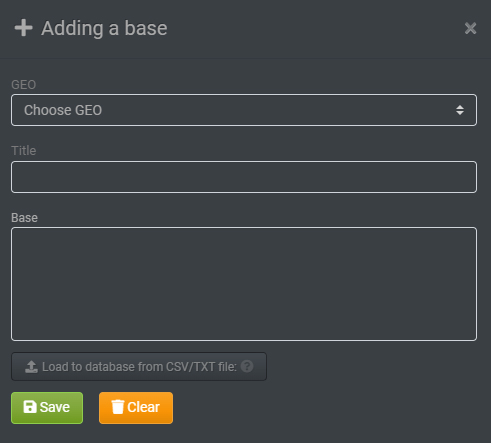

When adding a mailing list, CSV and TXT files are accepted. If the numbers in the database are not valid (not valid in this case – in the wrong format), the numbers are automatically deleted from the database.
Choose GEO
To set up and launch a newsletter, you need to select the GEO you want to work with, specify the newsletter’s name, and select an alpha name.
Please note – in GEO Philippines and Sri Lanka, SMS will be sent from a random sender; you do not need to select an alpha name.
Select the database from the downloaded ones, select an SMS message template (if you wish, you can add it to the Templates tab, specify the text of the message, and set the sending time. You also have the opportunity to use our shortener (this is important! if you want to receive statistics on clicks and conversions) and send a test SMS.
Additional SD Sender Features
Auto funnel is an additional tool that, in conjunction with SD Sender, will bring excellent profits and make your life easier. This form collects data from new leads using a widget on your website and automatically sends SMS. With this feature, it’s easy to collect user data into a database, which you can monetize. You can customize and style the funnel shape itself to suit your website yourself.

How does a funnel work?
- Select GEO;
- Select the number of fields you want to collect;
- Select widget language;
- Generate the text of the widget – the text of the header of the fields and buttons;
- Choose a color scheme and design to suit the style of your website;
- Select the type of auto funnel and configure SMS texts.
Auto funnel setup
- To start using the auto funnel, you need to go to the menu item Autofunnels > Register the domain on which the lead form will be placed, and also specify the name of the database where the leads from the auto funnel will be collected;
- Choose one of the types of auto funnels (aggressive/optimal/minimal). Autofunnels differ in the frequency of sending and the number of SMS messages in them;
- Shorten links and write message texts;
- Then insert the link (be sure to check the link after shortening);
- After you have created the autofunnel, you need to add the lead form to the site.
Important! If a funnel has not been created in your personal account with the domain on which it will be hosted, then it will not work.
The created funnel looks like this:

Personalized mailings – this feature was created specifically for an individual approach to the lead. Calling by name can increase the likelihood of conversion and CR to a lead. To do this, you need to take just a couple of steps:
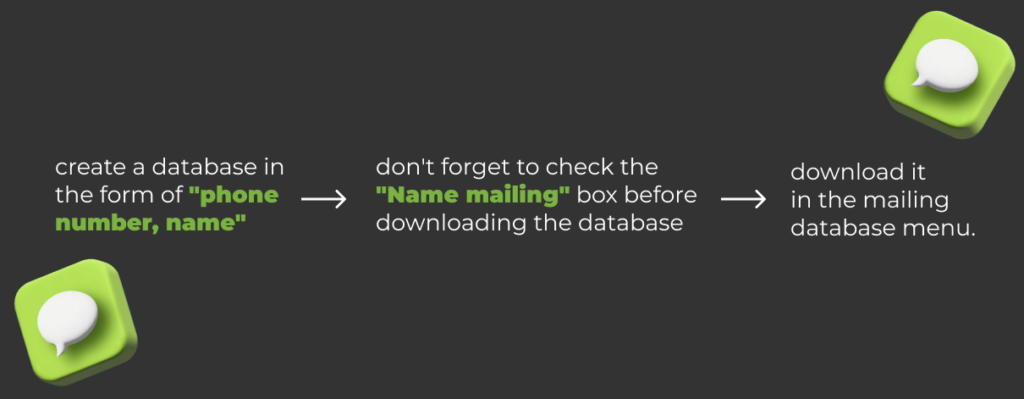
“Voila” now you can create a personalized newsletter by selecting the name database you downloaded, and the [name] parameter will appear in the SMS, automatically pulling the name from your database.
Shortener. Your text should be clear, catchy, and short. This feature was created specifically to ensure that the text in the message looks beautiful and your SMS does not take up more than 2 parts.
Please note that there are character restrictions so you do not have to pay for 2 SMS. The message text must be placed in one part. We also recommend using our shortener so that you can track clicks and conversions of your SMS campaign.
Pre-made alpha names are a cool thing that will transform your message from a “no name” sender to a “brand” one. For GEO Ukraine, we have a large pool of alpha names for the PDL niche and 3 alpha names for E-commerce – Dostavka, MegaService, and Parfumsale.
You can also add your personal alpha name if you wish. To do this, you need to contact your personal manager.
SD Sender Tariffs
Naturally, tariffs change occasionally so that you can get the most up-to-date information from your personal manager or in the SalesDoubler admin panel. By sending mailings via SD Sender, you get real savings and the opportunity to test the SMS channel in different GEOs and directions quickly.
- Ukraine – 0.62 UAH (delivered)
- Kazakhstan – 13 KZT (sent)
- Philippines – 0.25 UAH (sent)
- Sri Lanka – 0.9 UAH (sent)
FAQ
What niches/topics can I send emails to?
Through SD Sender, SMS messages can be sent only on Finance (GEO Ukraine, Kazakhstan, Philippines, and Sri Lanka) and E-commerce (GEO Ukraine). Using SD Sender for other niches is prohibited. For more detailed information, contact your manager.
I want to send one large message. Why does the system calculate multiple messages?
The number of characters in SMS messages is the same for all operators (Latin (ASCII)/Cyrillic):
- 1 – 160 /70;
- 2 – 306/134;
- 3 – 459/201;
- 4 – 612/268.
Each SMS message can contain up to 160 Latin letters (more precisely, ASCII – letters of the English alphabet).
At one time, you can send a text of up to 612 characters extended in Latin and up to 268 in Cyrillic. SMS consisting of several segments are glued together, and the recipient sees them as one long message.
Due to “gluing”, the limit on the number of characters in multi-segment messages is not a multiple of 160 or 70. Tariffing occurs by the number of segments in the message – each segment is assessed as a separate SMS message.
It is also important to note that some older phone models support the reception of stitched messages from a maximum of three segments. The number of phones that do not support gluing is gradually approaching zero. If at least one atypical character appears in the SMS, all messages will be regarded by the system as non-ASCII, and then the length of one message will immediately be reduced to 70 characters with spaces.
ASCII (English: American standard code for information interchange, [ˈæs.ki]) is the name of a table (coding, set) in which numeric codes are associated with some common printed and non-printed characters.
Why do I download a database of 1000 numbers, but the system shows 998?
When adding numbers to a group, duplicate numbers are removed. Thus, only one unique number remains (even if it was repeated 23 times in the list). This allows you to protect against repeated SMS sending to the same subscriber. Invalid phone numbers are also removed from the database.
Is it possible for me to add my alpha name?
Yes, there is such an opportunity, for this you can contact your personal manager.
Where can I see the total cost of mailing?
The total cost of the mailing will be reflected in the Cost Calculation item.
Can I send shortened links?
Yes, sure! To do this, the newsletter has a “Shorten link” field. We recommend checking your shortened links and their click-through rates.
I want to see ROI and statistics using SD Sender for a storefront. How to do it?
Easily. You need to install the script on your storefront at the end of the body. An example of connecting a script: </script src=”https://static.salesdoubler.ua/showcases/sms_id.js“><//script>
Can I edit my number databases in the mailer?
Yes, such an opportunity is provided; you can add, delete, and edit your database in every possible way.
Can I create multiple templates for my newsletters?
Yes, this option is provided; they can be created in the Templates tab.
Where can I see reports on my mailings and write-off history?
All reports can be seen in the “Reports” and “Financial History” tabs.
How can I top up the balance in my account to launch newsletters?
Mailing payment will be deducted from the “Payment” balance.
Регистрируйся на сайте и пользуйся полезными инструментами SalesDoubler. Лий трафик и зарабатывай вместе с нами.